Live Topic Bar
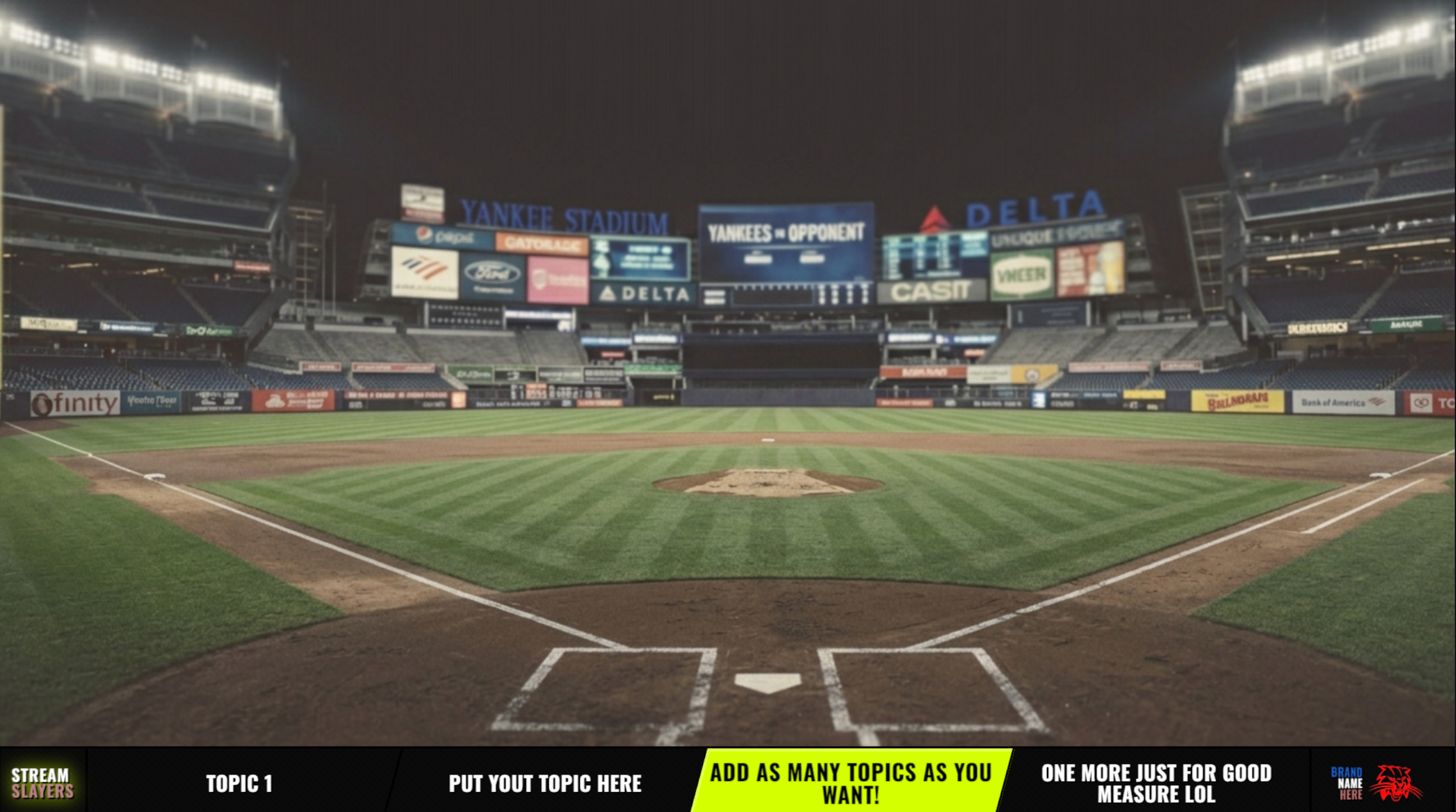
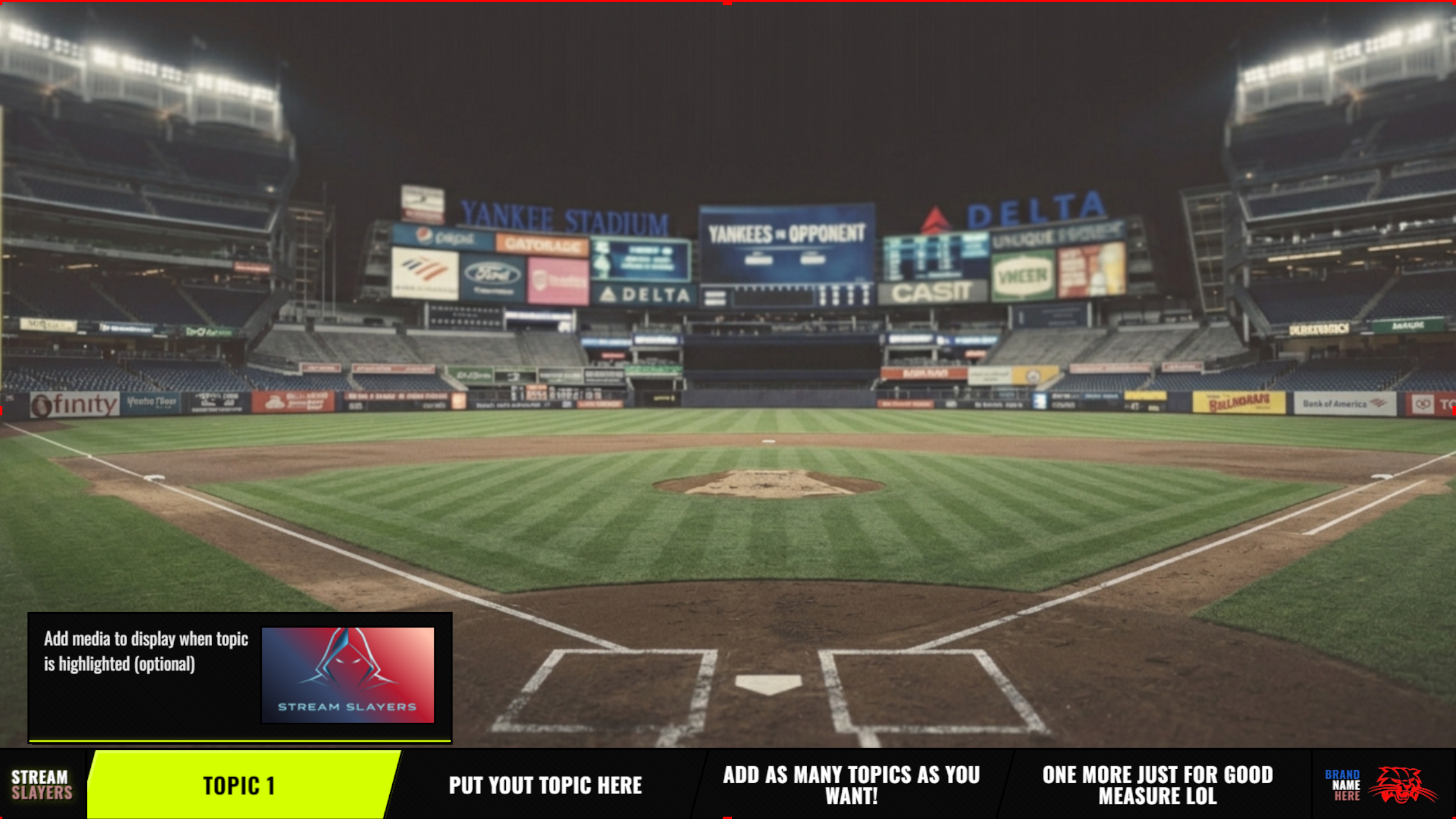
A horizontal lower-third or upper-third topics overlay for live broadcasts. Channel and sponsor badges, live highlight control, and per-topic media reveals that expand outward with images, GIFs, video, and audio.
FEATURES
LOWER OR UPPER THIRD BAR
A clean horizontal bar that anchors to the bottom or top of your stream. Perfect for talk shows, watch-alongs, and debate formats where you want topics on-screen without taking over the frame.
LIVE TOPIC HIGHLIGHTING
Click any topic to highlight it on-stream instantly. Your audience sees the active topic update in real-time over WebSocket — no refresh, no lag.
CHANNEL & SPONSOR BADGES
Pin a channel badge and a sponsor badge in the bar corners, each with its own logo. Keep your brand and your partners visible the entire broadcast.
MEDIA REVEALS THAT EXPAND OUTWARD
Attach an image, GIF, or video to a topic and it expands outward from the bar when highlighted — turning a one-line topic into a full visual moment, then collapsing back.
PER-TOPIC AUDIO CUES
Give each topic its own audio cue that fires the moment it is highlighted. Great for transition stingers, intro hits, and sound effects.
COUNTDOWN TIMER & AUTO-ADVANCE
Set per-topic durations with an on-screen countdown. Enable auto-advance to roll to the next topic automatically when the timer runs out.
SCHEDULED VIDEO EVENTS
Trigger a video reveal automatically after a topic has been highlighted for a set number of seconds — build hands-free sequences for your rundown.
WATERMARK OVERLAY
Add a persistent watermark image over the bar with full control over position, size, opacity, and pixel offset for precise placement.
APPEARANCE & CUSTOMIZATION
- Top or bottom anchoring
- Full color control: background, text, accent, and border
- Custom font family and font sizes
- Channel and sponsor badge logos with positioning
- Per-topic image, GIF, or video reveal modes
- Watermark position, size, opacity, and offset
- Show/hide LIVE badge and date
- Highlight color for the active topic
TECH SPECS
HOW IT WORKS
- 1
Add your topics
Create your discussion topics and attach optional images, GIFs, videos, or audio cues to each one.
- 2
Style the bar
Pick top or bottom anchoring, set your colors and fonts, add channel and sponsor badge logos, and place a watermark.
- 3
Add the browser source
Copy your unique overlay URL from the dashboard and add it as a 1920 x 96px browser source in OBS.
- 4
Control live
Click topics to highlight them on-stream in real-time. Use the countdown timer for auto-advance or trigger media reveals manually.
STEP-BY-STEP SETUP GUIDE
How to add a topic bar to OBS — with annotated screenshots
PRICING PLANS
Topic Bar is part of the Topics pack — one Single App plan unlocks all 2 apps.
Single App
Included with the Topics pack — Topics Panel · Topic Bar.
or $11.99/mo billed annually
- 1 pack of your choice
- Buy any Topics pack app, get all 2
- Real-time live data
- Full customization
- Monthly or annual billing
Pro Slayer
All apps — current and future.
or $23.99/mo billed annually
- ALL apps — current & future
- Every pack included
- Real-time live data
- Priority support
- Early access to new sports
- Monthly or annual billing
No contracts · Cancel anytime · Secure checkout
No contracts · Cancel anytime · Secure checkout